demo mode

Quote from ussr100 on 2024-09-29, 15:56My old laptop was broken. I installed the application on another laptop but the application does not detect the key. The drivers are installed, the key switched to HID mode, but I have a demo mode. I tried all the tips but to no avail.
My old laptop was broken. I installed the application on another laptop but the application does not detect the key. The drivers are installed, the key switched to HID mode, but I have a demo mode. I tried all the tips but to no avail.
Uploaded files: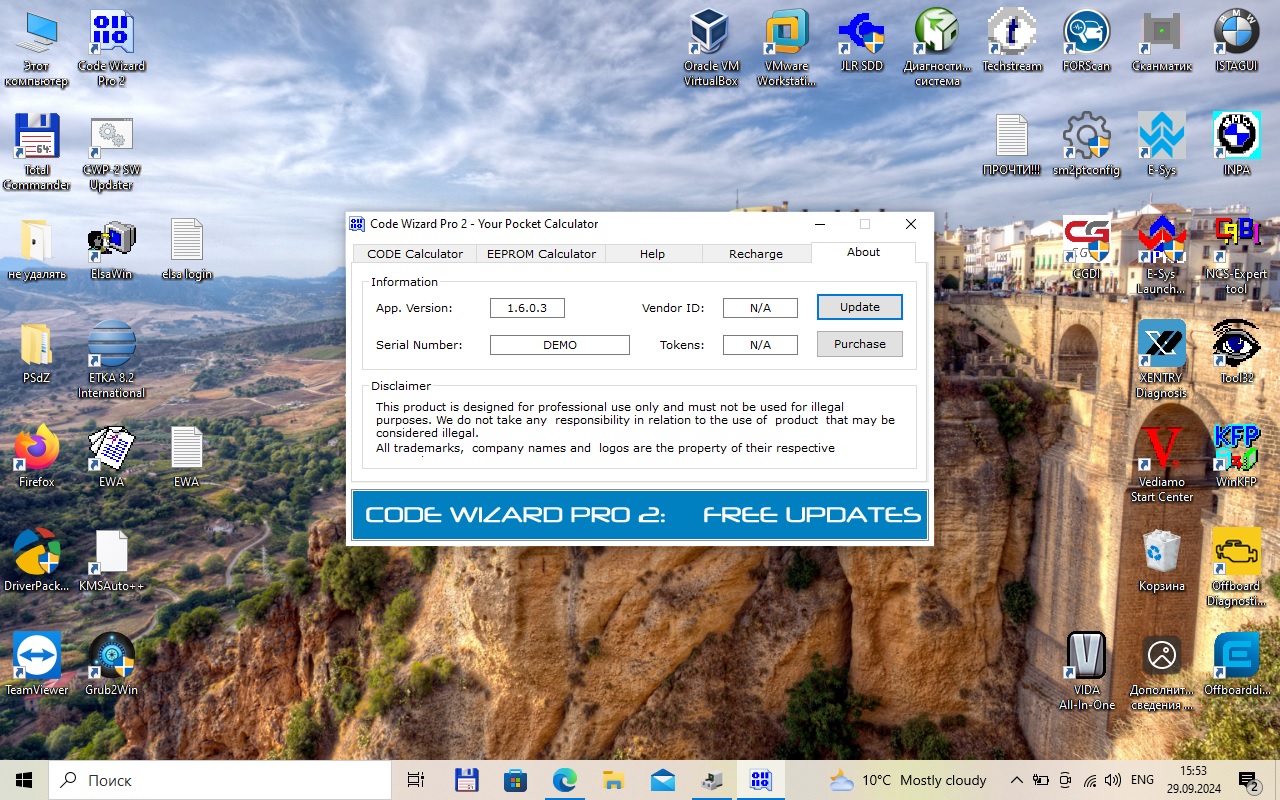

Quote from Code Wizard on 2024-10-01, 00:09We found out via email that this is not a CWP-2 key. Since such questions have become increasingly common, I will write here.
First, try installing new drivers:
https://www.code-wizard-pro.com/community/topic/usb-key-drivers-for-new-windows-versions/
And switch key to HID mode:
https://www.code-wizard-pro.com/community/topic/frequently-asked-questions/
If nothing worked, send a picture with information about the key from this utility:
https://www.code-wizard-pro.com/cwp/DevTest.zip
Device ID, Version, Total Space, etc
I don't recommend messing around and guessing PINs with this utility, as you'll just end up with a locked key after a few incorrect attempts.
We found out via email that this is not a CWP-2 key. Since such questions have become increasingly common, I will write here.
First, try installing new drivers:
https://www.code-wizard-pro.com/community/topic/usb-key-drivers-for-new-windows-versions/
And switch key to HID mode:
https://www.code-wizard-pro.com/community/topic/frequently-asked-questions/
If nothing worked, send a picture with information about the key from this utility:
https://www.code-wizard-pro.com/cwp/DevTest.zip
Device ID, Version, Total Space, etc
I don't recommend messing around and guessing PINs with this utility, as you'll just end up with a locked key after a few incorrect attempts.